Real results in
5 minutes.
No complex configuration. No vendor lock-in. Just industrial-grade telemetry infrastructure, pre-configured for your sensors.
01
Create a dataset.
Head to the Xpectra Console, name your mission, and generate an ingestion key. This key is your ticket to standardized, high-volume telemetry persistent storage.
API Key Generated
x_prd_7829...ae21
Ready for Ingest
02
Point your client.
Choose your preferred environment. Use our native libraries for Python, C++, or LabVIEW to start streaming high-resolution telemetry in minutes.
1. Python SDK
python_client.py
# pip install xpectra-client
from xpectra import Client
import pandas as pd

client  = Client(api_key="sk_xp_...")
dataset = client.experiments.get("<experiment-uuid>")                .datasets.get("My Dataset")

# Batch — ingest a CSV or any DataFrame
dataset.ingest(pd.read_csv("sensor_data.csv"))

# Live — stream from any generator, zero buffering
from datetime import datetime, timezone
dataset.ingest_live(
    (datetime.now(timezone.utc), "voltage_01", v)
    for v in sensor_feed()
)
2. C++ / gRPC
main.cpp
#include <xpectra.hpp>

int main() {
    // 1. Connect to the Xpectra Core with your key
    auto client = xpectra::SDK::Connect("xp_live_a1b2c3d4");

    // 2. Stream telemetry directly from your main loop
    client->stream({
        .channel = "vibration_01",
        .value = 104.2,
        .unit = "G"
    });

    return 0;
}
3. LabVIEW Plugin
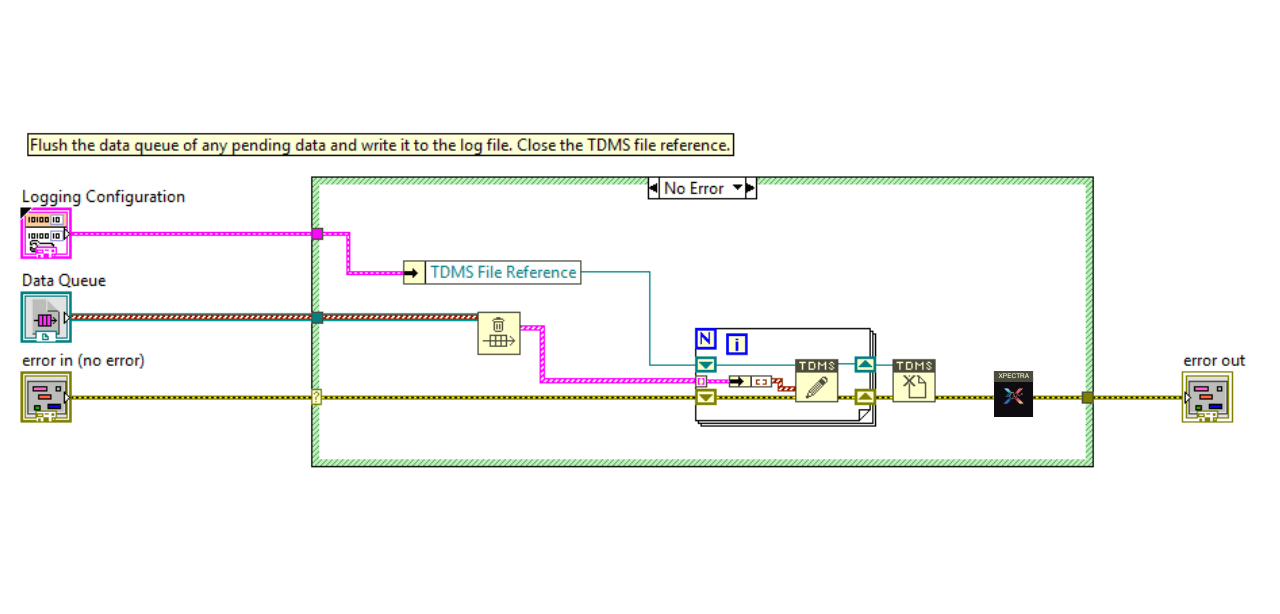
Standardized VIs for high-speed streaming without middleware.
03
Watch data appear.
Open the Mission Control Playground. Your data is being validated, standardized, and stored in XpectraDB in real-time.
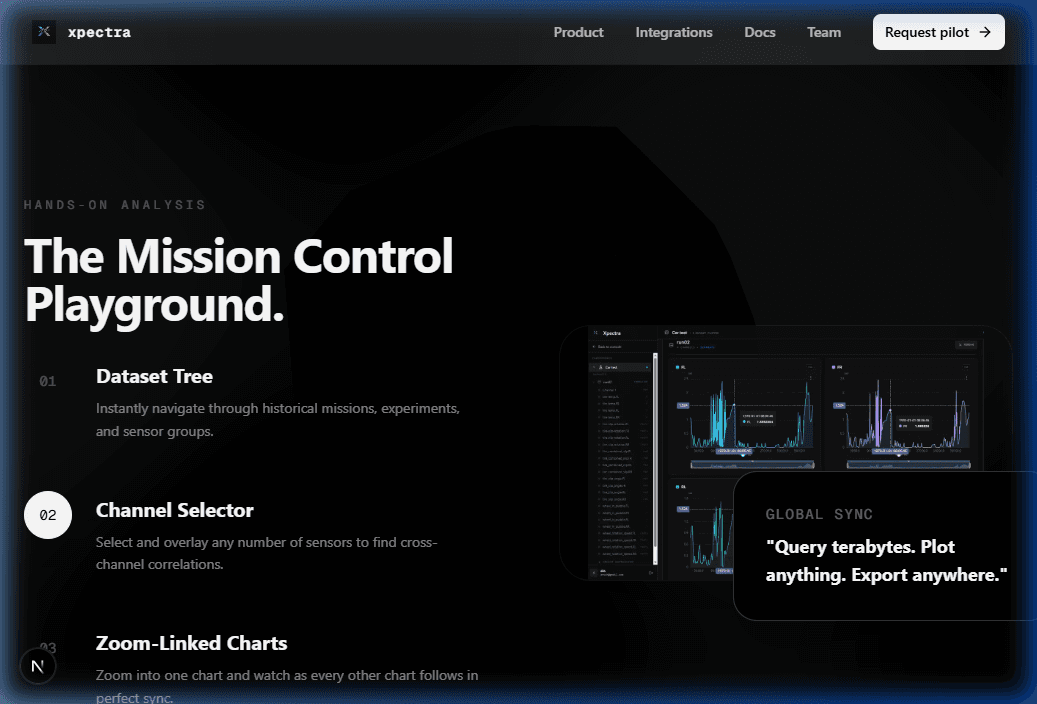
Open Playground